
How to Program the Control System of a Cold Roll Forming Machine?
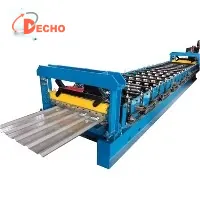
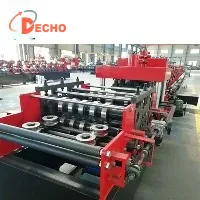
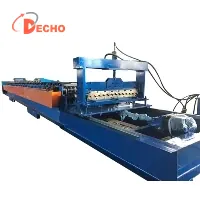
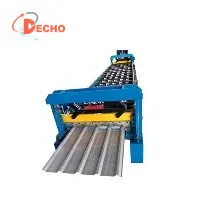
As a supplier of Cold Roll Forming Machines, I've had the privilege of witnessing the transformative power of these machines in various industries. Cold roll forming machines are essential in manufacturing processes, used to shape metal sheets into a wide range of profiles for applications such as roofing, wall cladding, and structural components. The control system of a cold roll forming machine is the heart of its operation, determining the precision, efficiency, and quality of the formed products. In this blog, I'll share some insights on how to program the control system of a cold roll forming machine.
Understanding the Basics of Cold Roll Forming
Before delving into programming the control system, it's crucial to understand the basic principles of cold roll forming. Cold roll forming is a continuous bending operation in which a strip of metal is passed through a series of rolls, each performing an incremental bend until the desired cross - section is achieved. The process is highly efficient and can produce long lengths of profiles with consistent quality.
The control system of a cold roll forming machine is responsible for coordinating the movement of the rolls, the feeding of the metal strip, and other auxiliary functions such as cutting and punching. It ensures that the machine operates smoothly and accurately, meeting the required specifications of the final product.
Choosing the Right Control System
There are several types of control systems available for cold roll forming machines, including programmable logic controllers (PLCs), human - machine interfaces (HMIs), and motion controllers.
PLCs are widely used in industrial automation due to their reliability, flexibility, and ease of programming. They can handle complex control tasks and are capable of communicating with other devices in the production line. HMIs provide a user - friendly interface for operators to interact with the machine, allowing them to set parameters, monitor the operation, and troubleshoot issues. Motion controllers are used to precisely control the movement of the rolls and other actuators, ensuring accurate forming of the metal profiles.
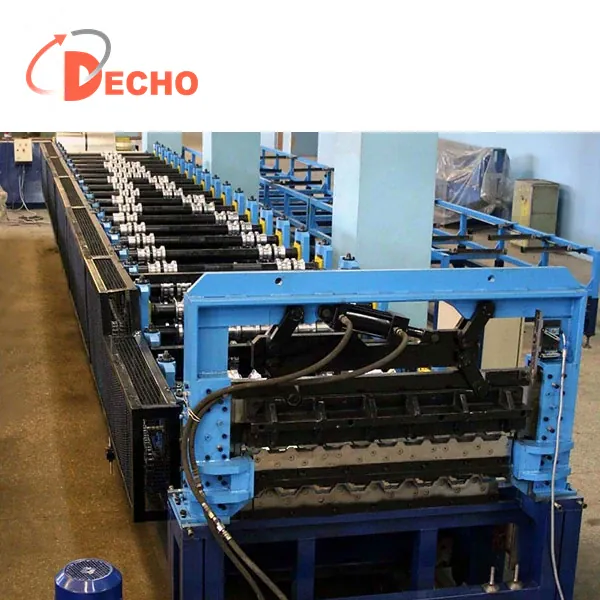
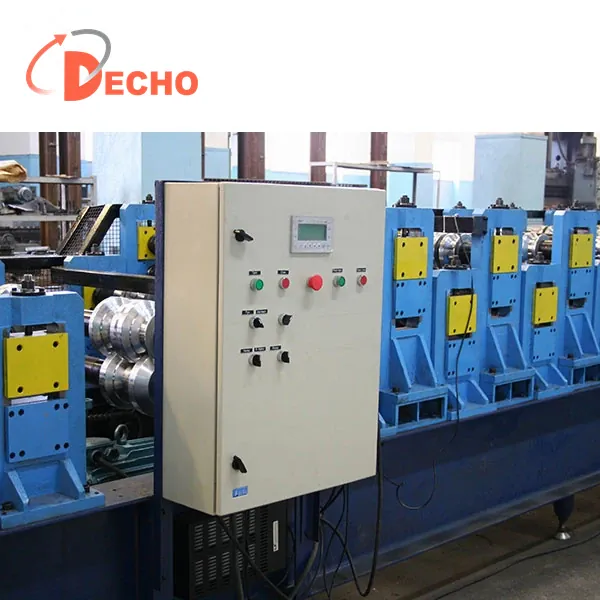
When choosing a control system, consider factors such as the complexity of the forming process, the required precision, and the budget. For simple roll forming operations, a basic PLC with a simple HMI may be sufficient. However, for more complex processes that require high precision and multiple axes of motion control, a more advanced control system with integrated motion controllers may be necessary.
Programming the PLC
Once you've selected the appropriate PLC for your cold roll forming machine, the next step is to program it. Here are the general steps involved in programming a PLC for a cold roll forming machine:
- Define the Inputs and Outputs: Identify all the input devices such as sensors (e.g., proximity sensors for detecting the position of the metal strip, limit switches for roll movement) and output devices such as motors, solenoids, and relays. Create a list of these inputs and outputs and assign them to specific addresses in the PLC.
- Develop the Control Logic: Based on the operation of the cold roll forming machine, develop the control logic. This includes functions such as starting and stopping the machine, controlling the speed of the rolls, and coordinating the cutting and punching operations. Use ladder logic, which is a graphical programming language commonly used for PLCs, to represent the control logic.
- Set the Parameters: Set the parameters for the forming process, such as the length of the profile, the number of bends, and the angle of each bend. These parameters can be entered through the HMI and stored in the PLC's memory.
- Implement Safety Features: Incorporate safety features into the control program, such as emergency stop buttons, safety interlocks, and overload protection. These features ensure the safety of the operators and the machine.
Here is a simple example of ladder logic for starting and stopping a cold roll forming machine:
// Start the machine when the start button is pressed
LD Start_Button
OUT Machine_Start

// Stop the machine when the stop button is pressed
LD Stop_Button
OUT Machine_Stop
Configuring the HMI
The HMI is an important part of the control system as it allows operators to interact with the machine easily. When configuring the HMI, consider the following:
- Create a User - Friendly Interface: Design the HMI screen to be intuitive and easy to use. Use clear labels, icons, and colors to represent different functions and parameters.
- Display Real - Time Information: Display real - time information such as the current status of the machine, the speed of the rolls, and the position of the metal strip. This allows operators to monitor the operation and detect any issues quickly.
- Enable Parameter Setting: Provide a way for operators to set the parameters for the forming process, such as the length of the profile and the angle of the bends. Ensure that the parameter setting is secure and that only authorized personnel can make changes.
Integrating Motion Controllers
If your cold roll forming machine requires precise motion control, you'll need to integrate motion controllers into the control system. Motion controllers can be used to control the speed, position, and acceleration of the rolls and other actuators.
To integrate motion controllers, follow these steps:
- Select the Appropriate Motion Controller: Choose a motion controller that is compatible with your PLC and can meet the requirements of your forming process.
- Configure the Motion Controller: Set the parameters for the motion controller, such as the maximum speed, acceleration, and deceleration of the actuators. Use the programming interface provided by the motion controller to define the motion profiles.
- Establish Communication: Establish communication between the PLC and the motion controller. This can be done using protocols such as Modbus, Profibus, or Ethernet. The PLC can then send commands to the motion controller to control the movement of the actuators.
Testing and Debugging
After programming the control system, it's essential to test and debug it to ensure that the machine operates correctly. Here are the steps involved in testing and debugging:
- Conduct a Static Test: Perform a static test of the control system by checking the operation of each input and output device without running the machine. This helps to identify any wiring or programming errors.
- Run a Trial Run: Conduct a trial run of the machine at a low speed. Monitor the operation of the machine and check if the control system is functioning as expected. Make any necessary adjustments to the parameters or the control logic.
- Perform a Full - Speed Test: Once the trial run is successful, run the machine at full speed. Check the quality of the formed profiles and ensure that the machine operates smoothly and efficiently.
Conclusion
Programming the control system of a cold roll forming machine is a complex but rewarding task. By understanding the basics of cold roll forming, choosing the right control system, and following the proper programming and testing procedures, you can ensure that your machine operates with high precision and efficiency.
If you're interested in purchasing a Roof Roll Forming Machine, Roof Sheet Making Machine, or Double Layer Roll Former, or if you have any questions about programming the control system of our cold roll forming machines, please feel free to contact us for further discussion and procurement negotiation.
References
- "Industrial Automation: A Practical Approach" by Andrew Brown
- "PLC Programming: A Step - by - Step Guide" by John Smith
- Manufacturer's manuals for cold roll forming machines and control system components